
Memphis Record Pressing
Send your record
to be pressed
Flowthru is the workspace built for music, where you share works in progress, stream them back and keep it all together, then send it where it needs to go, including Memphis Record Pressing. Set up what gets your record pressed, hit export, and you are on your way.
Start for free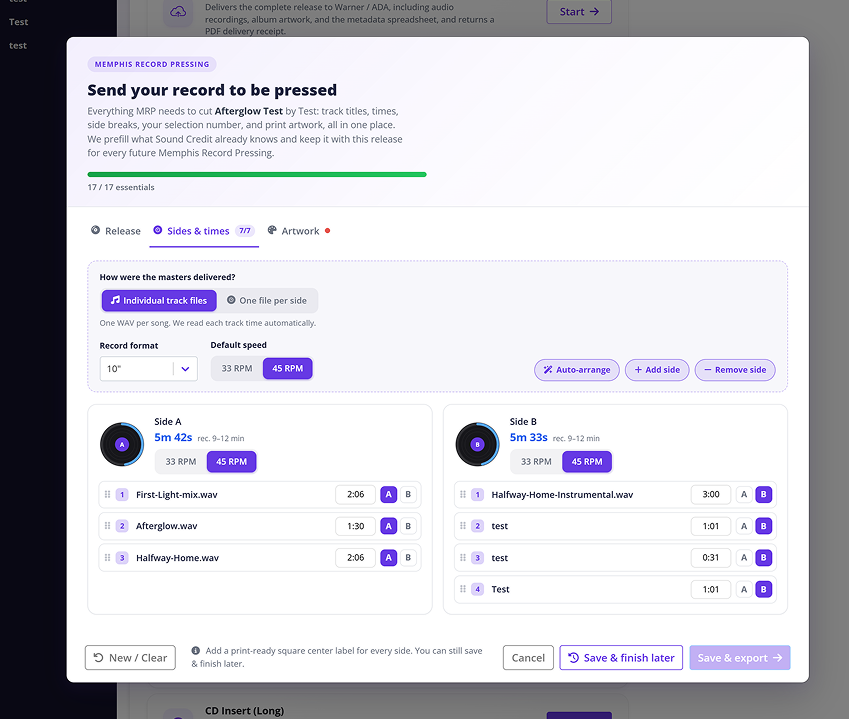
From finished project to pressing-ready
Seven steps, one guided export.
 Step 1
Create your account
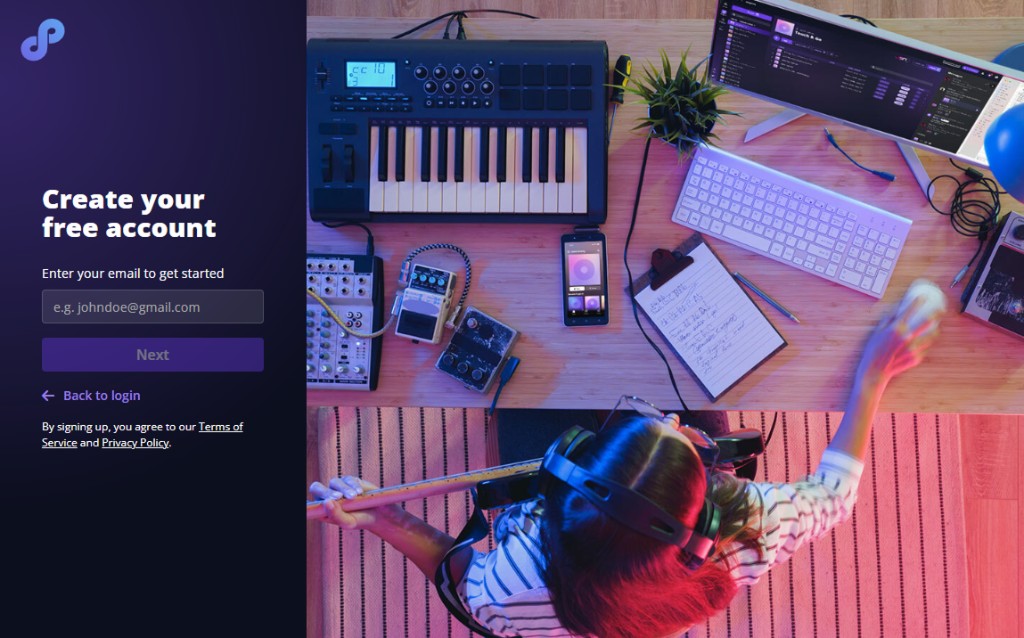
Create your free account; it takes about a minute. Flowthru spins up your first project during onboarding so you can click around before your real music goes in. When you are ready, create a project for the release you want pressed. The free plan has room for up to 20 tracks.
Start for free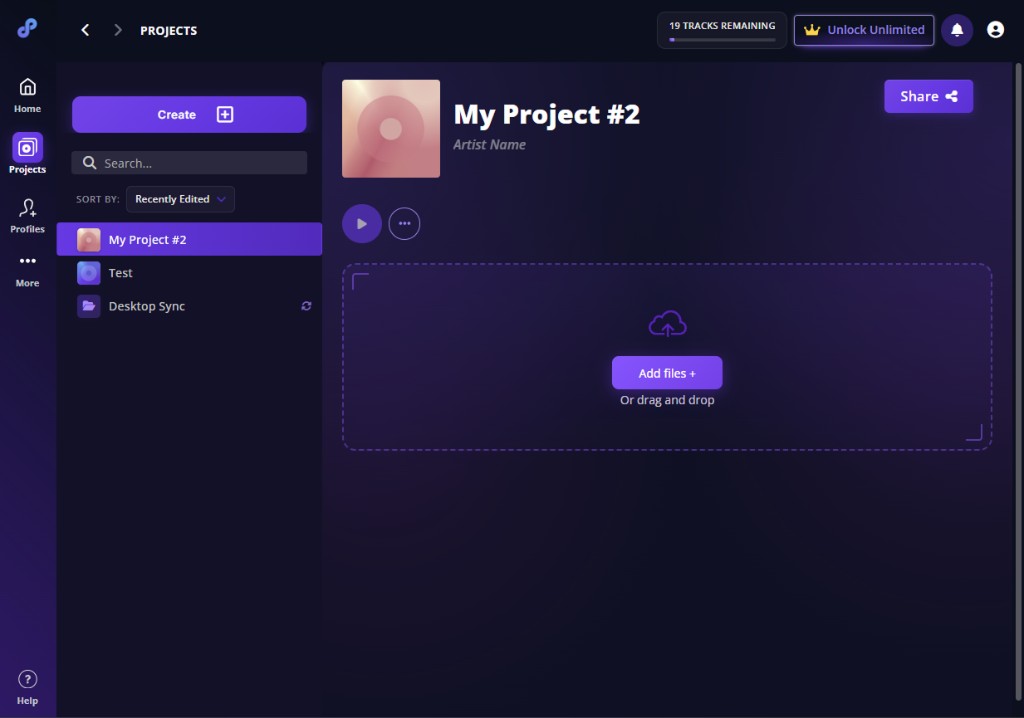 Step 2
Upload your recordings
Add your final masters to the project, ideally as WAV files, one file per song. Flowthru reads each track’s length automatically, so your side times are ready before you open the export. Delivering one file per side instead? That works too; you will just enter each track’s time so the plant can place the track markers.
 Step 3
Open the Memphis Record Pressing export
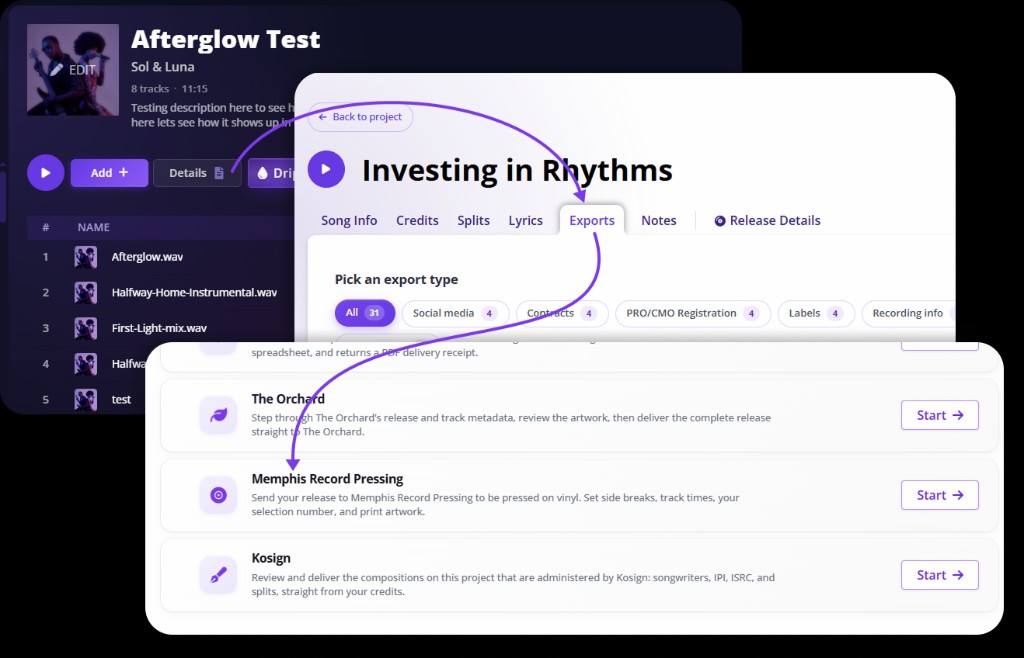
Inside your project, open Details, then Exports, and pick Memphis Record Pressing from the list. It sits alongside your other delivery options, so you go from finished project to pressing-ready in a couple of clicks. Everything opens in one guided window with three tabs: Release, Sides & times, and Artwork.
 Step 4
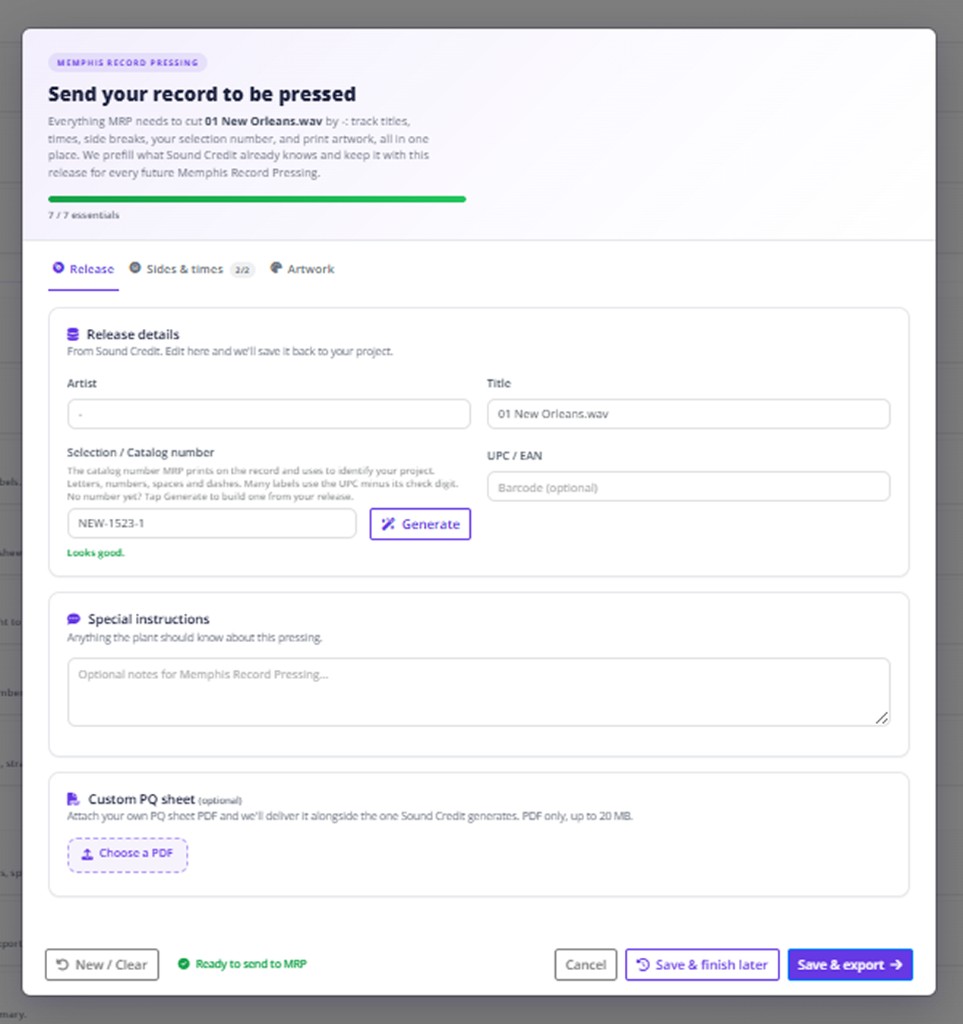
Start with the release details
The Release tab is mostly done already. Flowthru fills in your artist, title and selection (catalog) number straight from your project. No selection number yet? Tap Generate for a valid one you can edit. Add optional special instructions or your own PQ sheet, and it all saves back to the release for next time.
 Step 5
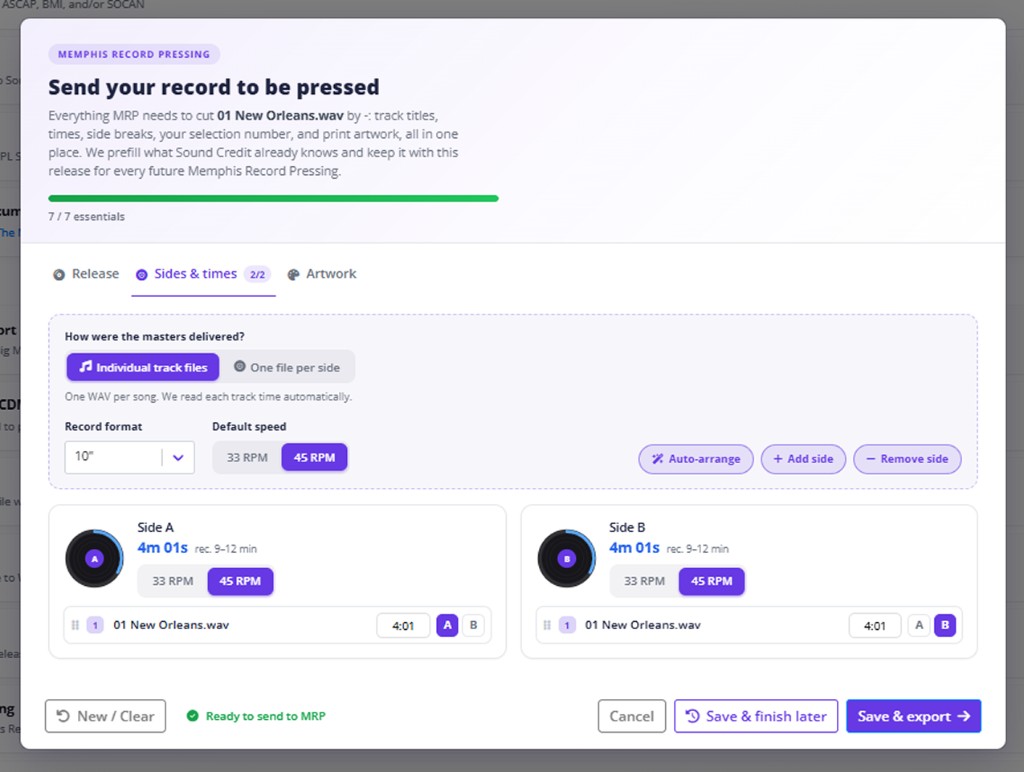
Arrange your sides and times
The Sides & times tab lays out your record for you. Pick the format (7", 10" or 12") and speed (33 or 45 RPM), then let Auto-arrange split the tracks into balanced sides, or drag them exactly where you want. Each side shows a running time with a recommended range, so you can see at a glance when a side sits comfortably within spec.
 Step 6
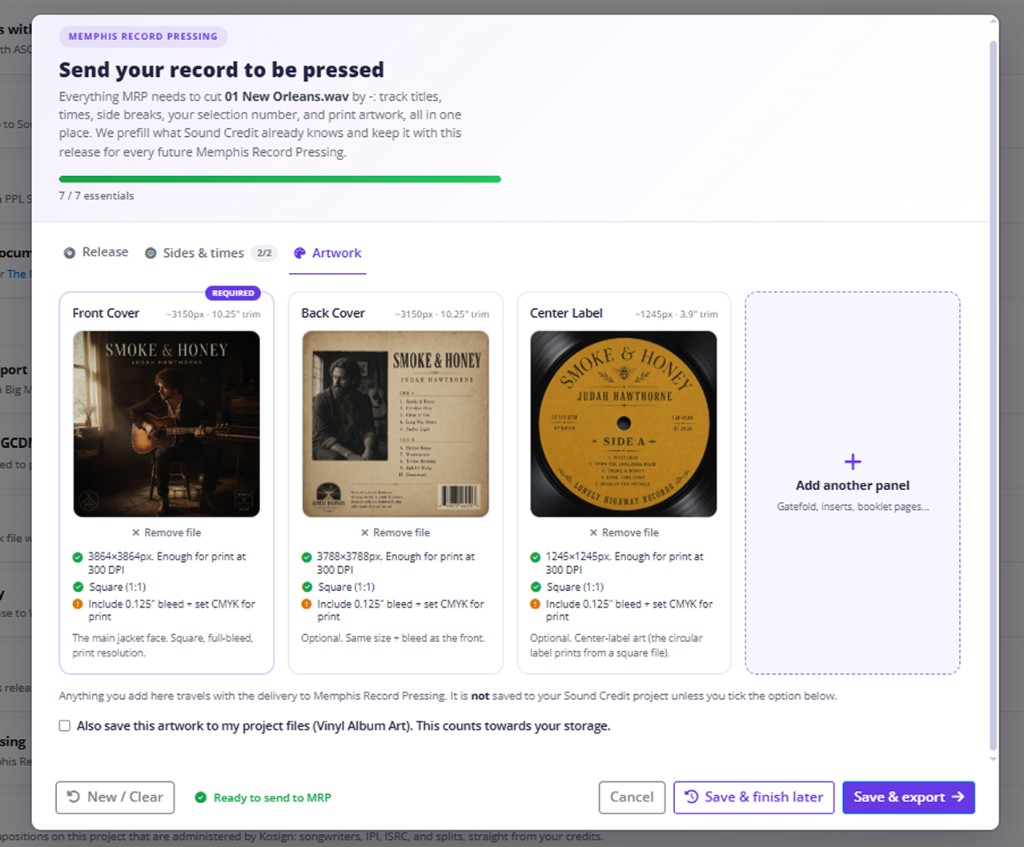
Deliver your artwork
Send finished art two ways. Drop in a single ZIP of your print files, or go panel by panel: front cover, back cover and a center label for each side. Flowthru checks each file’s size and shape as you add it. A print-ready front cover is all that is required to send; everything else is there when you want it.
 Step 7
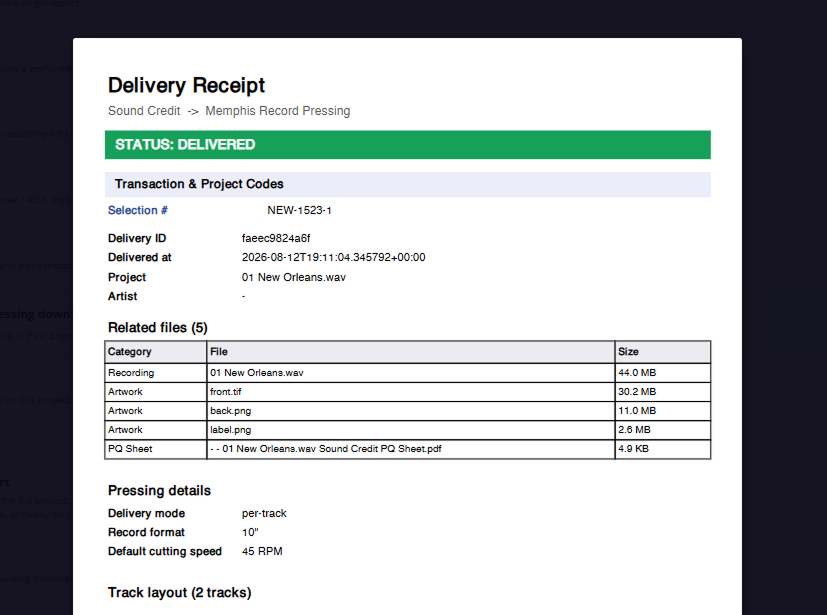
Send it, and get your receipt
Hit Save & export and Flowthru packages your audio, a generated PQ sheet and your artwork into one delivery to Memphis Record Pressing. You get a receipt with a delivery ID and a summary of everything included, so you always have a record of exactly what you sent.
Frequently asked questions
We are here to help with anything about sending your record to Memphis Record Pressing through Flowthru.
Is this free, and does exporting place my order?
Making an account and preparing your delivery is free, and the free plan covers projects with up to 20 tracks. The export gathers everything the plant needs and sends it to Memphis Record Pressing, but it does not place a paid order on its own. For quantities, pricing and scheduling, work with your Memphis Record Pressing sales rep, who confirms the details with you before anything is cut.
What audio should I upload, and how long can each side be?
Upload your final masters, ideally high-resolution WAV, one file per song. Flowthru reads each track’s length and shows a recommended range per side. As a rule of thumb on a 12-inch record, aim for up to about 22 minutes a side at 33 RPM and about 16 minutes at 45 RPM. Shorter sides at 45 RPM give the best fidelity. Going longer is allowed, but the whole side is cut a little quieter, so MRP will confirm it with you.
Do I have to arrange the sides myself?
No. Open the Sides & times tab, choose your format and speed, and hit Auto-arrange for a balanced starting layout. From there you can drag tracks between sides, add or remove a side, and watch each side’s running time against its recommended range. If your masters came as one file per side, you just type each track’s time so the plant can place the track markers.
What is a selection or catalog number, and do I need one?
It is the short code the plant prints on the record and uses to identify your project, sometimes called the matrix number. Letters, numbers, spaces and dashes are fine, and many labels use their UPC minus its check digit. If you do not have one, tap Generate and Flowthru suggests a valid code you can edit.
How do I send my artwork?
Two ways. Drop in a single ZIP of your print files, or add art panel by panel: front cover, back cover and a center label for each side. Flowthru checks each file’s resolution and shape as you go. A print-ready front cover is all that is required to send; back covers, labels and extra panels like gatefolds or inserts are optional. Prepare your art for print, at high resolution and with bleed, as you would for any vinyl run.
Do I still need to master for vinyl first?
Yes. Flowthru handles the submission, not the mastering. Make sure your audio is mastered for vinyl and sounds the way you want before you export. Memphis Record Pressing then cuts a lacquer from your files as part of manufacturing.
What happens after I export?
Flowthru packages your audio, a generated PQ sheet and your artwork into one delivery to Memphis Record Pressing and hands you a receipt with a delivery ID and a summary of everything included. Your details stay saved to the release, so reordering or sending an updated version later is quick.
Need a hand? Contact the support team.
Try Flowthru free
Start with 20 tracks, 1 GB and credit collection. Free to get going.